MIME Types (Multipurpose Internet Mail Extensions)tell a web browserhow to handle and display different types of fileson your website.
In simple terms, MIME Types explain what kind of file is being sent from the server to the browser.
Examples of Common MIME Types
File Extension
MIME Type
Purpose
.html
text/html
Web pages
.css
text/css
Stylesheets
.js
application/javascript
JavaScript files
.json
application/json
API data
.pdf
application/pdf
PDF documents
.mp4
video/mp4
Video files
.svg
image/svg+xml
SVG images
Why Are MIME Types Important?
MIME Types help to: ✔ Display files correctly in browsers ✔ Improve website compatibility ✔ Enable file downloads ✔ Fix file loading issues ✔ Support new or custom file formats
Without the correct MIME Type, browsers may fail to open or download files properly.
How to Add MIME Types in DirectAdmin
Step 1: Log in to DirectAdmin
Access your DirectAdmin control panel using your hosting credentials.
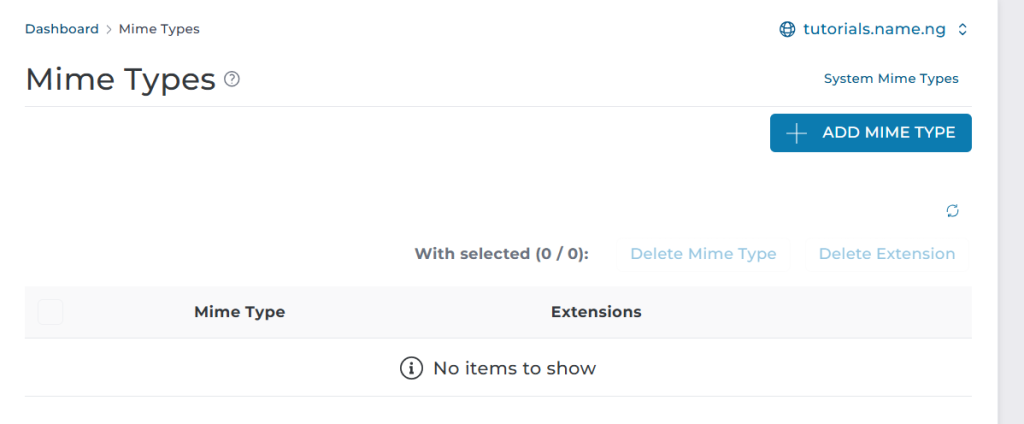
Step 2: Go to “MIME Types”
From the dashboard:
Click Advanced Features Select MIME Types
Step 3: Add a New MIME Type
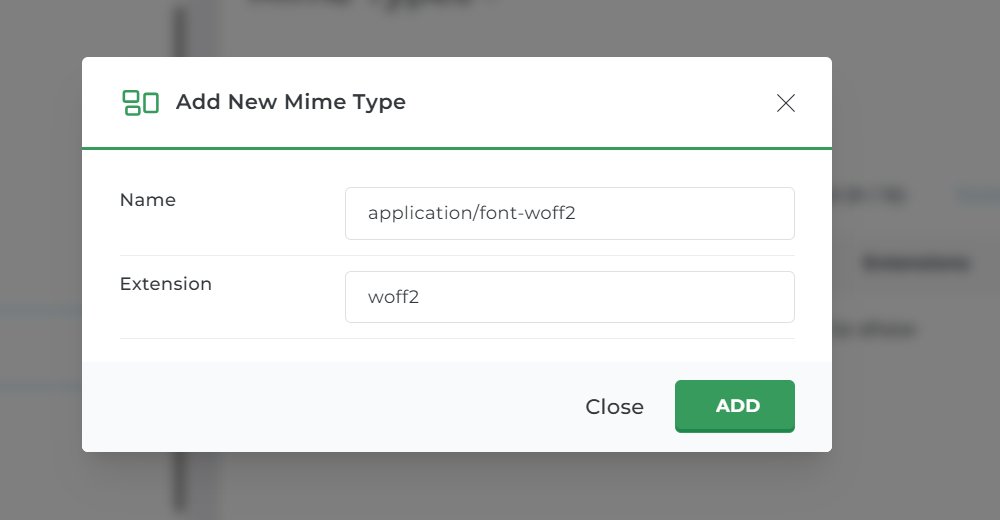
You will see a form with two main fields:
MIME Type Example: application/font-woff2
Extension Example: woff2
Do not include the dot (.) in the extension.
Step 4: Click “Add”
Once added, DirectAdmin will apply the new MIME Type immediately.
Common MIME Types You May Need
Here are some frequently added MIME Types:
application/font-woff → woff
application/font-woff2 → woff2
application/json → json
image/svg+xml → svg
video/mp4 → mp4
audio/mpeg → mp3
How to Edit or Remove MIME Types
Return to Advanced Features → MIME Types
Locate the MIME Type
Click Delete or Edit
Changes take effect instantly.
Important Tips
Always double-check MIME Type values before adding
Incorrect MIME Types can cause files to break
Only add MIME Types when necessary
Default MIME Types should not be removed
Summary
MIME Types define how files are interpreted by browsers. In DirectAdmin, you can add them by:
Logging in
Going to Advanced Features → MIME Types
Entering the MIME Type and extension
Clicking Add
This ensures your website files load and function correctly.