

Secondary DNS (also called Slave DNS) provides a backup DNS server for your domain. If your primary DNS goes down, the secondary DNS helps keep your website and email services online.
What Is Secondary DNS?
Secondary DNS is a backup copy of your DNS zone hosted on another server. It automatically synchronizes DNS records from your primary (master) DNS server.
Benefits of Secondary DNS
✔ Improved reliability
✔ Faster DNS resolution
✔ Reduced downtime
✔ Extra protection against DNS failure
Requirements Before You Start
Make sure you have:
Access to DirectAdmin
A secondary DNS server (from your hosting provider or a DNS service)
The IP address of the secondary DNS server
Permission to allow zone transfers (AXFR)
Step 1: Log in to DirectAdmin
Log in to your DirectAdmin control panel using your hosting credentials.
Step 2: Add the Secondary Nameserver
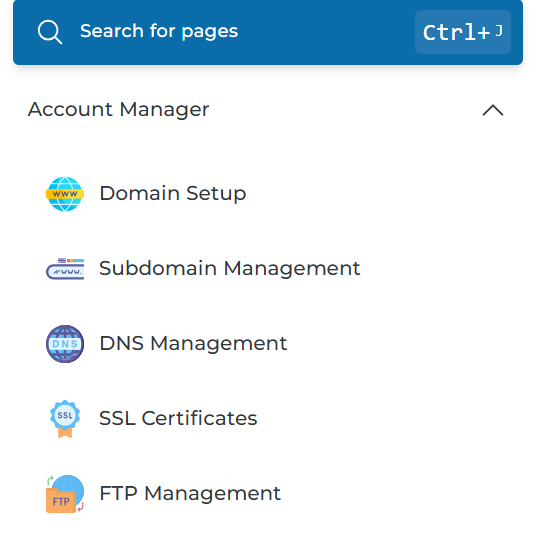
Go to Account Manager
Click DNS Management
Open your domain’s DNS zone
Add NS records for the secondary DNS:
ns2.yourdomain.com
Point it to the IP address of the secondary DNS server.
Step 3: Create an A Record for the Secondary NS
Still under DNS Management:
Type: A
Name: ns2
Value: Secondary DNS IP address
Save the record.
Step 4: Configure the Secondary DNS Server
On the secondary DNS server:
Set the zone as Slave
Enter the primary (master) DNS IP
Allow zone transfer (AXFR) from the primary server
Step 5: Enable Zone Transfer in DirectAdmin
Ask your hosting provider or system admin to:
Allow AXFR to the secondary DNS IP
Confirm the zone is accessible for synchronization
Step 6: Update Nameservers at Domain Registrar
Log in to your domain registrar and update the nameservers to include both:
ns1.yourdomain.com
ns2.yourdomain.com
Save changes.
Step 7: Verify DNS Synchronization
Use tools like DNS Checker
Confirm both nameservers return the same DNS records
Allow up to 24 hours for full propagation
Important Notes
Secondary DNS cannot be configured fully from DirectAdmin alone
Zone transfers must be allowed by the server admin
Incorrect NS or IP settings may cause downtime
Summary
To set up Secondary DNS in DirectAdmin:
Add secondary NS records
Create A record for the secondary nameserver
Configure slave DNS server
Enable zone transfer
Update nameservers at registrar
Verify DNS propagation