
Login Keys are one of the most useful security features in Direct Admin. Instead of using your main password for everything, you can create multiple keys each with specific permissions to control access safely and securely.
Here is everything you need to know:
What Are Login Keys?
Login Keys are alternative login credentials you can generate inside DirectAdmin.
They allow you to:
Log in without using your main account password
Create limited access for scripts, apps, or team members
Restrict what each key can do
Set time limits, IP restrictions, or one-time use rules
In simple terms, Login Keys let you grant safe access without giving out your real password.
Why Use Login Keys?
Login Keys are helpful when:
A developer needs temporary access
A script or app requires automated login
You want to log in with reduced permissions
You want to protect your main account credentials
You need to limit access to certain features
They improve security while giving you flexibility.
How to Create a Login Key in DirectAdmin
Step 1: Log in to DirectAdmin
Use your normal username and password.
Step 2: Go to “Login Keys”
On the dashboard, find:
➡️ Advanced Features → Login Keys
This is where you can manage existing keys or create new ones.
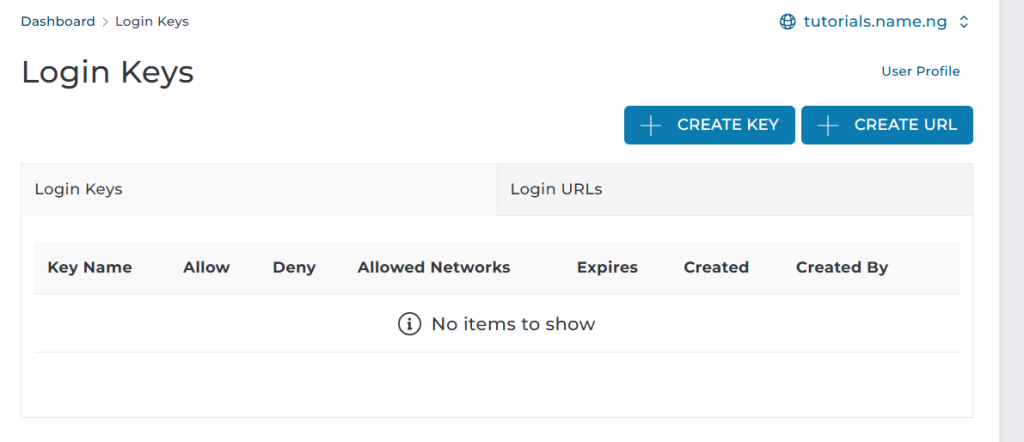
Step 3: Click “Create New Login Key”
Enter:
Key Name (e.g., developer_access, backup_key)
Description (optional, for your reference)
Step 4: Set Key Permissions
This is the most important part.
You can choose what this key is allowed to do, such as:
Manage files
Create databases
Edit DNS
Access email accounts
Make backups
Modify settings
Tick only what you need.
Less access = better security.
Step 5: Choose Authentication Settings
DirectAdmin gives you more control:
✔ One-time login
Useful for temporary access.
✔ IP restriction
Only allows login from approved IP addresses.
✔ Expiry date
Automatically disables the key at a set time.
✔ Login method
You can choose:
Normal login
Hash-based login (for scripts)
Step 6: Click “Save”
DirectAdmin will generate your new login key details.
You can now log in using:
Your normal username
The login key as your password
Or use it in scripts/automation.
Managing Your Login Keys
Inside the Login Keys section, you can:
Edit a key
Change its permissions
Disable it temporarily
Permanently delete it
Track its usage
This keeps your account secure and organized.
Benefits of Using Login Keys
Better security
No need to share your main password
Perfect for teamwork or developers
Ideal for automated backups or cron-based logins
Easily revoke access at any time
Summary:
Login Keys in DirectAdmin allow you to create secure, restricted, and flexible login credentials without sharing your main password. You can control what each key can access, set expiry dates, limit by IP, and manage permissions easily.
They are perfect for developers, automated scripts, temporary access, and improving overall security for your hosting account.
Watch the video below: