Domain Parking is a feature that allows you to add and manage redirection of a unique registered domain name. By using domain parking you can add a domain to your park domains and easily redirect it to a desired URL/website. The feature is called Domain Pointers in the direct admin panel.
For example, a systems administrator can park the smartweb.com.ng domain on the smartweb.net.ng domain. When users visit smartweb.com.ng in a web browser, the system will display the contents of smartweb.net.ng domain. However, the browser’s address bar will display smartweb.com.ng domain.
It is important to note that a parked domain is just a name to which you cannot use to create custom emails or to create an independent website. Also a domain can only be parked if it is having the same name-servers as that of your hosting plan in which you are going to park it.
After propagation of the name-servers, there are some steps by following which you can easily add a registered domain in your direct admin panel
The following Steps Guide on How to Set Up a Parked Domain:
Step 1
Register a Domain
The process of securing a domain works much the same regardless of which host or registrar you use. All you have to do is select an available domain name and TLD, and pay for the registration:
Step 2
Update the nameservers:
For this to work the parked domain’s DNS servers are to be set to the same as the master’s domain’s.
Log in to direct admin panel: Access your hosting account and open your direct admin dashboard.
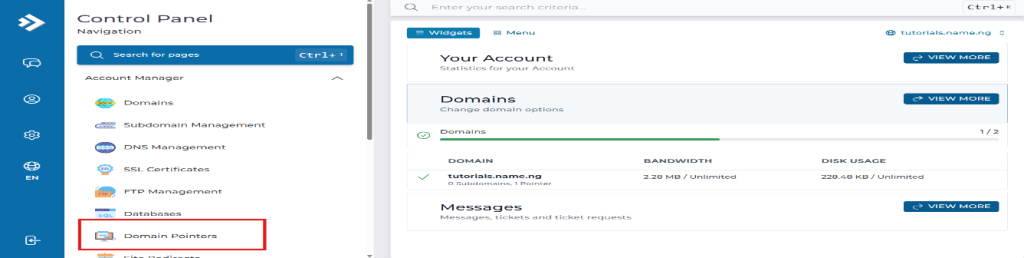
Go to Account Manager and click on Domain Pointers.
The following steps are to be taken in other to create a Parked domain in your direct admin hosting account.
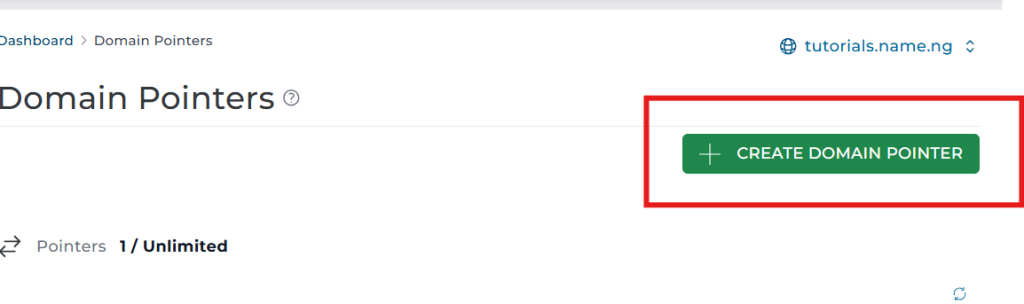
3. CREATE DOMAIN POINTER button.
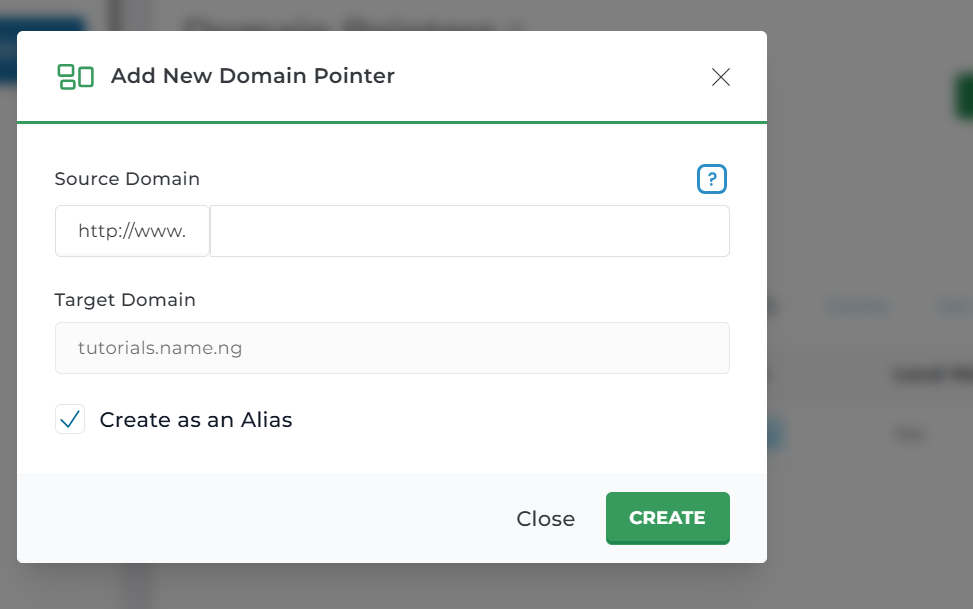
4. Fill out the details
5. Source Domain: Enter the new domain name you want to park. Target Domain: Select the main domain you want it to point to.
6. Create as an Alias: Check this box so visitors see the parked domain’s URL in their browser address bar, rather than the main domain’s URL. (Uncheck it if you want the URL to force a redirect to the main domain)